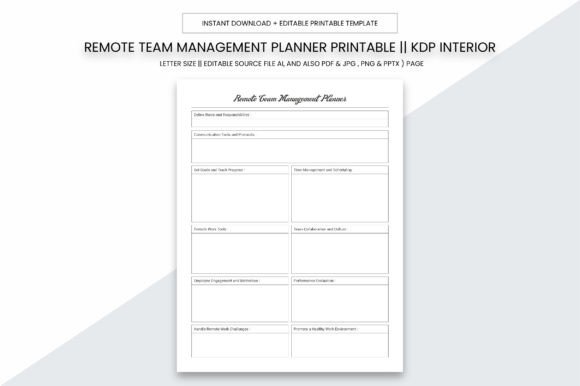
Smart Home Devices Planner
Whether you're managing a home, a business, or a creative project, the Smart Home Devices Planner is a powerful tool designed to keep your smart technology organized and efficient. This comprehensive planner helps you track devices, settings, and maintenance schedules in one place, making it easier to manage your smart home ecosystem.
The Smart Home Devices Planner is more than just a notebook—it's a practical resource tailored for anyone who relies on smart home technology. From setting up new devices to troubleshooting issues, this planner ensures that all your information is accessible and up to date.
Key Features of the Smart Home Devices Planner
Designed with both personal and professional use in mind, the Smart Home Devices Planner offers a range of features that make it a valuable addition to any smart home setup.
- Practical Size: Measuring 8.5 x 11 inches, this planner fits comfortably in a bag or on a desk, making it easy to carry and use wherever you need it.
- Digital Download: Get instant access to the planner in multiple formats, including PDF, JPG, PNG, PPTX, and AI files, so you can print, edit, or share it as needed.
- High-Quality Print: With a resolution of 300 ppi, the planner ensures crisp, clear prints that look professional and are easy to read.
- Ready to Print: Designed for local printing, this planner is optimized for quick and easy use at your preferred print shop.
- 109 Pages of Content: The planner includes enough pages to track every device, configuration, and update, making it ideal for KDP publishing or personal use.
How the Smart Home Devices Planner Can Help You
The Smart Home Devices Planner is an excellent resource for a wide range of users, from homeowners to small business owners and digital creators. Here are some ways it can be used effectively:
For Personal Use
If you're setting up a smart home, the planner can help you keep track of all your devices, from smart thermostats to security cameras. It allows you to note down installation details, user manuals, and even passwords in a secure and organized way. This makes it easier to maintain your system and troubleshoot issues when they arise.
For Commercial Use
Businesses that rely on smart technology, such as hotels, offices, or retail stores, can benefit from using the Smart Home Devices Planner to document their setups. It provides a structured way to track device locations, maintenance schedules, and technical specifications, ensuring that everything runs smoothly and efficiently.
For KDP Publishers
With 109 pages ready for upload to KDP, this planner is perfect for authors, educators, or content creators looking to sell a printable resource. Its high-quality design and detailed layout make it a valuable product for those interested in smart home technology or organizational tools.
Why Choose the Smart Home Devices Planner?
There are many reasons to consider the Smart Home Devices Planner as your go-to resource for managing smart home devices. One of its greatest strengths is its versatility. Whether you're a tech enthusiast, a busy professional, or a small business owner, this planner adapts to your needs and helps you stay organized.
Another key advantage is its ease of use. Unlike generic notebooks, the Smart Home Devices Planner is specifically designed for tracking smart home equipment. It includes sections for device types, installation notes, and maintenance logs, allowing you to customize it based on your specific requirements.
Additionally, the planner's digital format makes it easy to edit, print, and share. You can modify the content to suit your preferences or add custom sections for unique projects. This flexibility makes it a great choice for both personal and commercial use.
Real-World Applications and Benefits
The Smart Home Devices Planner has a variety of real-world applications that make it a must-have for anyone working with smart home technology. Here are a few examples:
- Home Automation Setup: When installing new smart devices, the planner helps you record important details like Wi-Fi passwords, device models, and installation dates. This ensures that you have all the necessary information in one place.
- Device Maintenance: Regularly updating and maintaining smart devices is essential for optimal performance. The planner allows you to schedule maintenance checks, track software updates, and note any issues that arise.
- Security Management: For users concerned about home security, the planner can be used to log camera placements, alarm system configurations, and access codes. This makes it easier to manage and review security settings over time.
- Client Projects: If you're a contractor, designer, or consultant working on smart home installations, the planner can serve as a reference guide for your clients. It helps you keep track of project timelines, device specifications, and client preferences.
Best Practices for Using the Smart Home Devices Planner
To get the most out of the Smart Home Devices Planner, consider the following best practices:
- Keep It Updated: Make it a habit to update the planner regularly with new device information, maintenance notes, and changes in your smart home setup.
- Customize as Needed: Don't hesitate to add extra pages or sections that fit your specific needs. The planner’s editable format allows for easy customization.
- Share with Others: If you're part of a team or working with clients, share the planner with relevant parties to ensure everyone has access to the same information.
- Use for Training: The planner can also be used as a training tool for family members, employees, or clients who need to understand how to use and maintain smart home devices.
The Smart Home Devices Planner is a valuable resource for anyone looking to streamline their smart home management. Its practical design, high-quality print options, and customizable format make it a versatile tool for personal, professional, and commercial use. Whether you're setting up a new system or maintaining an existing one, this planner helps you stay organized, informed, and in control.