Dot Grid Black KDP Interior Template: A Practical Guide for Content Creators
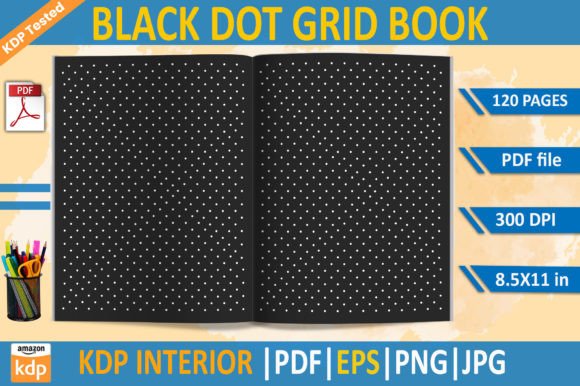
The Dot Grid Black KDP Interior Template is a versatile design solution tailored for creators looking to produce high-quality, professional-looking books for Amazon KDP. This template offers a clean, minimalist layout that supports a wide range of content types, from journals and planners to workbooks and creative notebooks. Its black-and-white dot grid pattern provides a flexible canvas for writing, sketching, and organizing ideas without the distraction of lines or borders.
What sets this template apart is its compatibility with Amazon KDP’s formatting requirements. The design has been tested and optimized for print-on-demand publishing, ensuring that it meets the platform’s standards for resolution, bleed, and page size. This makes it an attractive option for authors, artists, and educators who want to focus on content creation rather than technical design details.
Key Features of the Dot Grid Black KDP Interior Template
The Dot Grid Black KDP Interior Template comes with a comprehensive set of files designed to meet the needs of different users. These include:
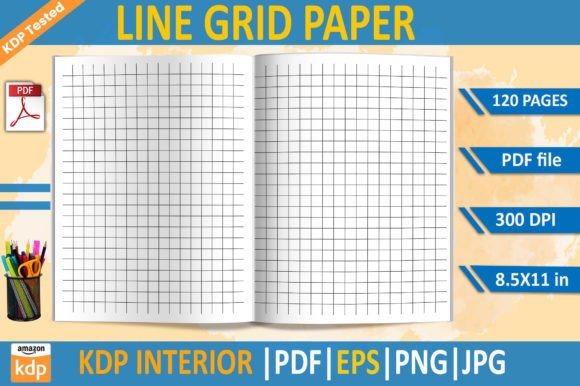
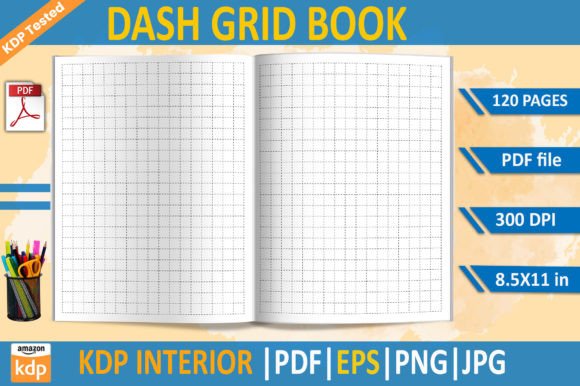
- PDF File (120 pages): A ready-to-use print PDF that can be uploaded directly to KDP. It is formatted at 8.5x11 inches with a 300 DPI resolution, ensuring sharp and clear prints.
- EPS File: An editable vector file ideal for advanced users who want to customize the layout or make adjustments before finalizing the design.
- PNG File: A transparent background image file that can be used for digital projects or as a standalone graphic.
- JPG File: A high-resolution image file suitable for web use or as a reference when working with other design tools.
All files are provided in a standard size and format, making it easy for users to integrate them into their workflow. The absence of bleed ensures that the design remains consistent across all pages, reducing the risk of misalignment during printing.
Comparing the Dot Grid Black KDP Interior Template with Other Options
When considering the Dot Grid Black KDP Interior Template, it’s helpful to compare it with similar products in the market. While there are many dot grid templates available, not all are specifically optimized for KDP. Some alternatives may lack the same level of testing or may require additional formatting steps before they can be published.
For example, generic dot grid templates found online often come in various sizes and resolutions, which can complicate the upload process. They may also lack the specific dimensions required by KDP, leading to potential issues with alignment or margins. In contrast, the Dot Grid Black KDP Interior Template is designed with these specifications in mind, streamlining the publishing process for users.
Another consideration is the availability of editable files. While some templates offer only a PDF version, the Dot Grid Black KDP Interior Template includes EPS, PNG, and JPG files, giving users more flexibility in how they use and modify the design. This is particularly useful for those who want to create custom covers or incorporate the template into other digital projects.
Strengths and Tradeoffs of the Dot Grid Black KDP Interior Template
The primary strength of the Dot Grid Black KDP Interior Template lies in its simplicity and adaptability. The black dot grid pattern is unobtrusive yet functional, allowing users to write, draw, or organize notes without visual clutter. This makes it ideal for a variety of uses, including daily planners, bullet journals, and creative sketchbooks.
Another advantage is its readiness for KDP. Unlike some templates that require extensive editing, this one is already configured to meet the platform’s requirements. This saves time and reduces the learning curve for new users who may not have experience with design software.
However, there are tradeoffs to consider. The template’s minimal design may not appeal to everyone. Users who prefer more structured layouts, such as lined or ruled pages, may find the dot grid less suitable for their needs. Additionally, while the template is highly customizable, it still requires some level of design knowledge to make significant changes, especially when working with EPS files.
Best-Fit Situations for the Dot Grid Black KDP Interior Template
The Dot Grid Black KDP Interior Template is best suited for creators who prioritize flexibility and ease of use. It is particularly beneficial for:
- Writers and Journalers: The open layout allows for free-form writing, making it ideal for personal journals, travel logs, or creative writing projects.
- Artists and Designers: The clean background provides a great surface for sketches, illustrations, or brainstorming sessions.
- Educators and Students: The template can be used for study guides, note-taking, or interactive worksheets that encourage active learning.
It is also a good choice for those who want to publish a book quickly without getting bogged down by complex design choices. The template’s KDP-tested status ensures that users can focus on their content rather than technical details.
When to Consider Alternative Options
While the Dot Grid Black KDP Interior Template is a solid choice for many, there are scenarios where alternative options may be more appropriate. For instance, if a user prefers a more structured layout, such as lined or graph paper, they may need to look for a different template. Similarly, those who require a more visually engaging design, such as a themed notebook or a colorful layout, may find that the black dot grid does not align with their vision.
Additionally, users who are not comfortable with design software may find the inclusion of EPS files challenging. In such cases, a simpler template with only a PDF version might be more accessible. It’s also worth noting that the template’s lack of bleed means that users must ensure their designs account for margins and padding, which could be a consideration for those unfamiliar with print formatting.
Practical Examples and Use Cases
Consider a scenario where a writer wants to publish a daily journal for Amazon KDP. The Dot Grid Black KDP Interior Template offers a clean, professional look that enhances the reading experience. The user can easily add personal notes, artwork, or quotes without worrying about formatting issues. This makes it an efficient solution for someone focused on content rather than design.
On the other hand, a teacher creating a workbook for students might find that the dot grid layout is too open-ended for certain exercises. In this case, a template with pre-set lines or sections might be more effective for guiding student responses. The decision ultimately depends on the intended use and the preferences of the target audience.
Making an Informed Decision
Choosing the right template involves evaluating both the features and the intended use. The Dot Grid Black KDP Interior Template is a strong option for those seeking a simple, adaptable design that works well with KDP. However, it’s important to consider whether the template aligns with the specific needs of the project and the preferences of the audience.
By understanding the strengths, limitations, and practical applications of the Dot Grid Black KDP Interior Template, users can make a more informed decision about whether it is the right fit for their goals. Whether it’s for personal use, educational purposes, or commercial publishing, the template provides a reliable foundation for creating high-quality, printable content.